
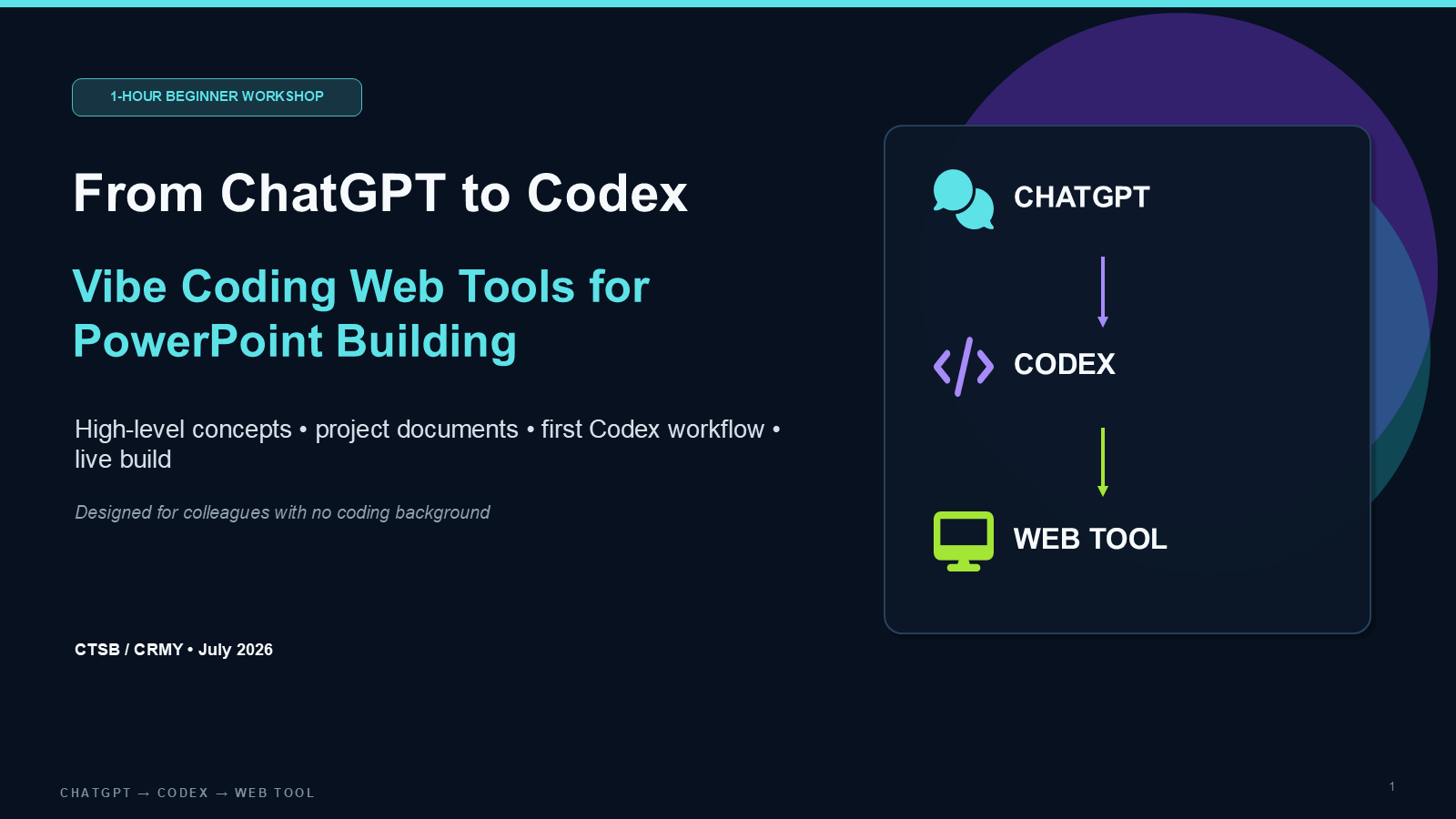
The challenge: turn a good conversation into usable work
For colleagues who do not write code, the difficult step is often not asking AI a question. It is turning a promising answer into a tool with a clear purpose, sensible boundaries, and a way to check whether it works. A convincing first draft can still hide missing requirements or unreliable output.
This workshop uses a familiar task: preparing a presentation from rough notes. Instead of starting with a large application, the teaching brief narrows the problem to choosing a deck type, generating an outline, and reviewing editable slide titles, key points, and speaker notes.
My contribution: a structured learning path
I organised the 40-slide resource around a one-hour beginner session: understand the tools, frame a small problem, write the project documents, hand over to Codex, and review the result. The emphasis is on giving colleagues a repeatable method, rather than a collection of prompts to copy without understanding.
The resource brings together a workshop agenda, example specifications, repository instructions, planning and implementation prompts, a demo brief, and a quality checklist. Git, deployment, and permissions appear as practical safeguards around the build—not as prerequisites participants must already know.
The workflow taught in the deck
01 · Frame one useful task
Identify the user, their input, and the output they need. Keep the first version small: accounts, payments, and databases are outside this demonstration. A narrow scope makes the result easier to explain and test.
02 · Make expectations explicit
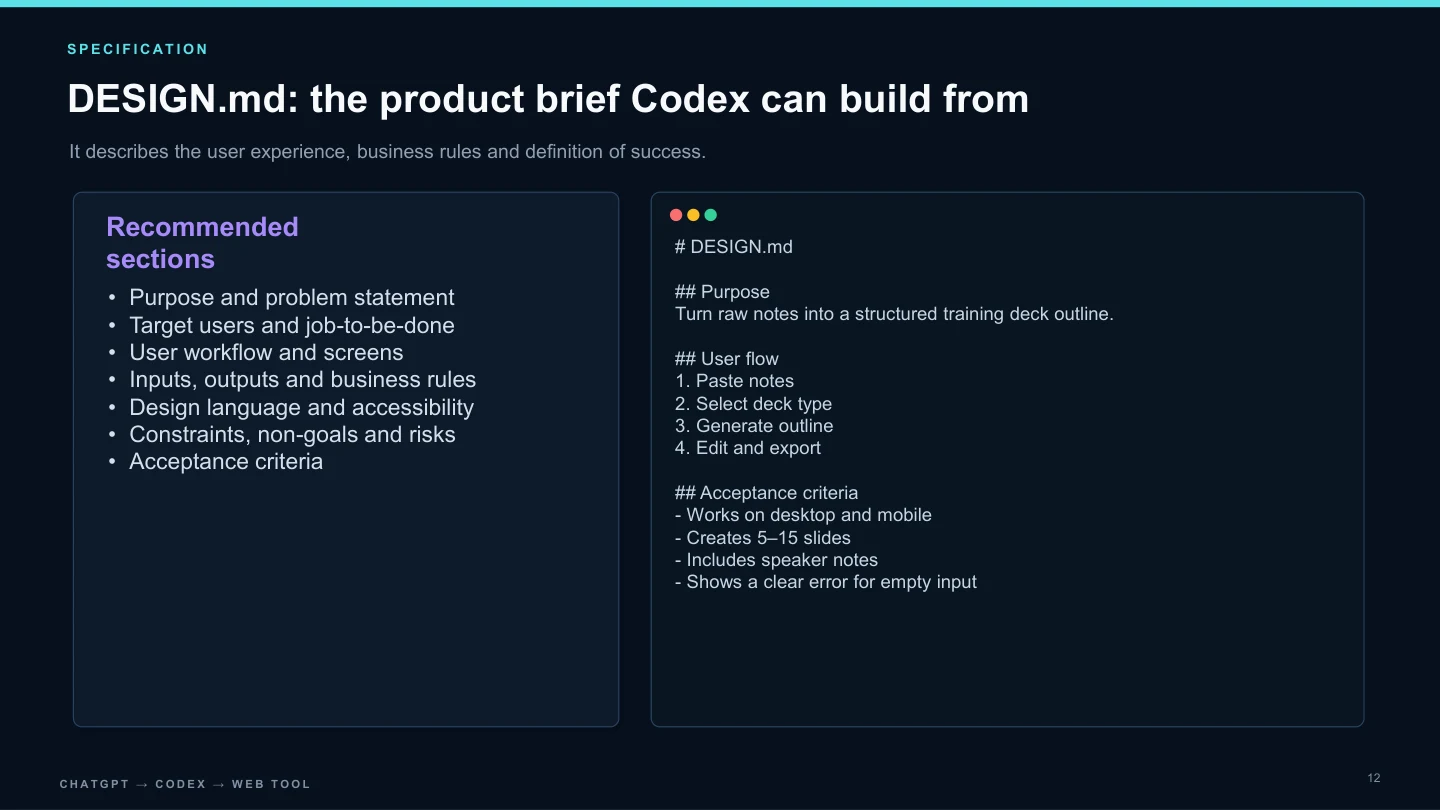
Use DESIGN.md to describe the purpose, user flow, visual direction, and acceptance criteria. Use AGENTS.md for repository working instructions. These documents give the coding agent context that would otherwise remain in someone’s head.
03 · Build a first slice and inspect it
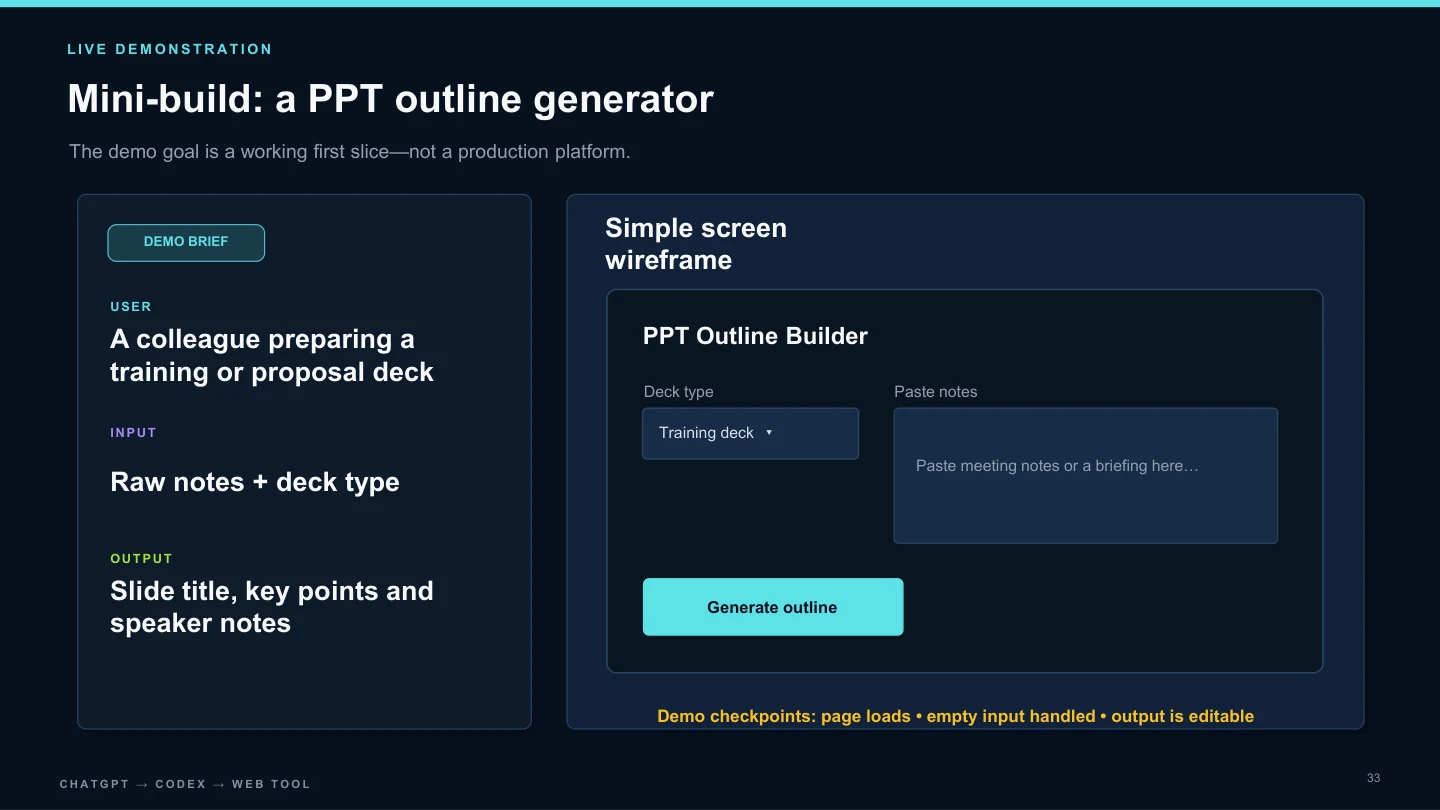
Hand over the brief, ask for a plan, and work through a small implementation. The demo checkpoints are deliberately concrete: the page loads, empty input is handled, and the generated outline can be edited. A screenshot alone is not proof that those behaviours work.
04 · Review before reuse
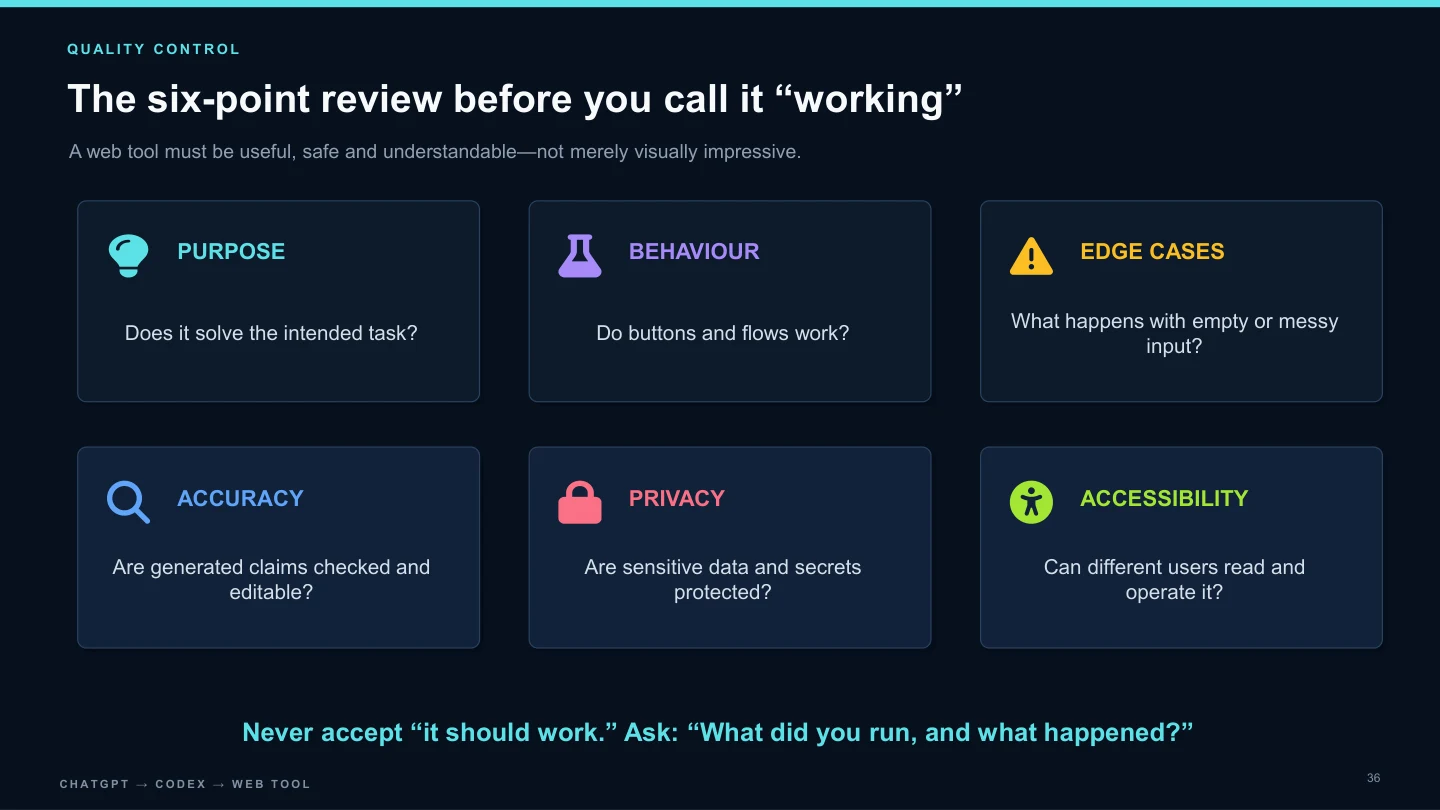
Check purpose, behaviour, edge cases, accuracy, privacy, and accessibility. Use dummy data, inspect changes, and keep credentials out of the project. Deployment is treated as another checkpoint, with a preview to inspect before sharing more widely.
A concrete example—not a claim of a finished product
The deck’s mini-build is a PPT outline generator for a colleague preparing a training or proposal presentation. The wireframe below shows the intended input and output. It is a teaching brief, not evidence of a deployed application; this case study does not claim that a production PowerPoint generator was delivered.
What the resource provides
The downloadable PowerPoint is the core deliverable. It includes the session structure, reusable document examples, a scoped build exercise, and review prompts. Teams can use these as a starting point for their own internal workflow, while checking current tool instructions and adapting examples to their policies before use.
Intended outcomes and evidence boundaries
The intended outcome is confidence in specifying, building, and reviewing a small internal tool. Faster preparation and more consistent outputs are aims to evaluate, not measured results reported here. No attendance figures, participant testimonials, or time-saving percentages are claimed. A future pilot could compare the original task with the assisted workflow and document what actually changed.
Start with a task your team already needs to do
If your team wants to explore a practical AI workshop, tell me who will attend, the workflow you want to improve, and your preferred format. We can discuss an appropriate scope and the safeguards your organisation needs before agreeing on a session.